Smart Timelapse AI primary logo Smart Timelapse AI Phone · GRBL · DSLR workflow
ES EN

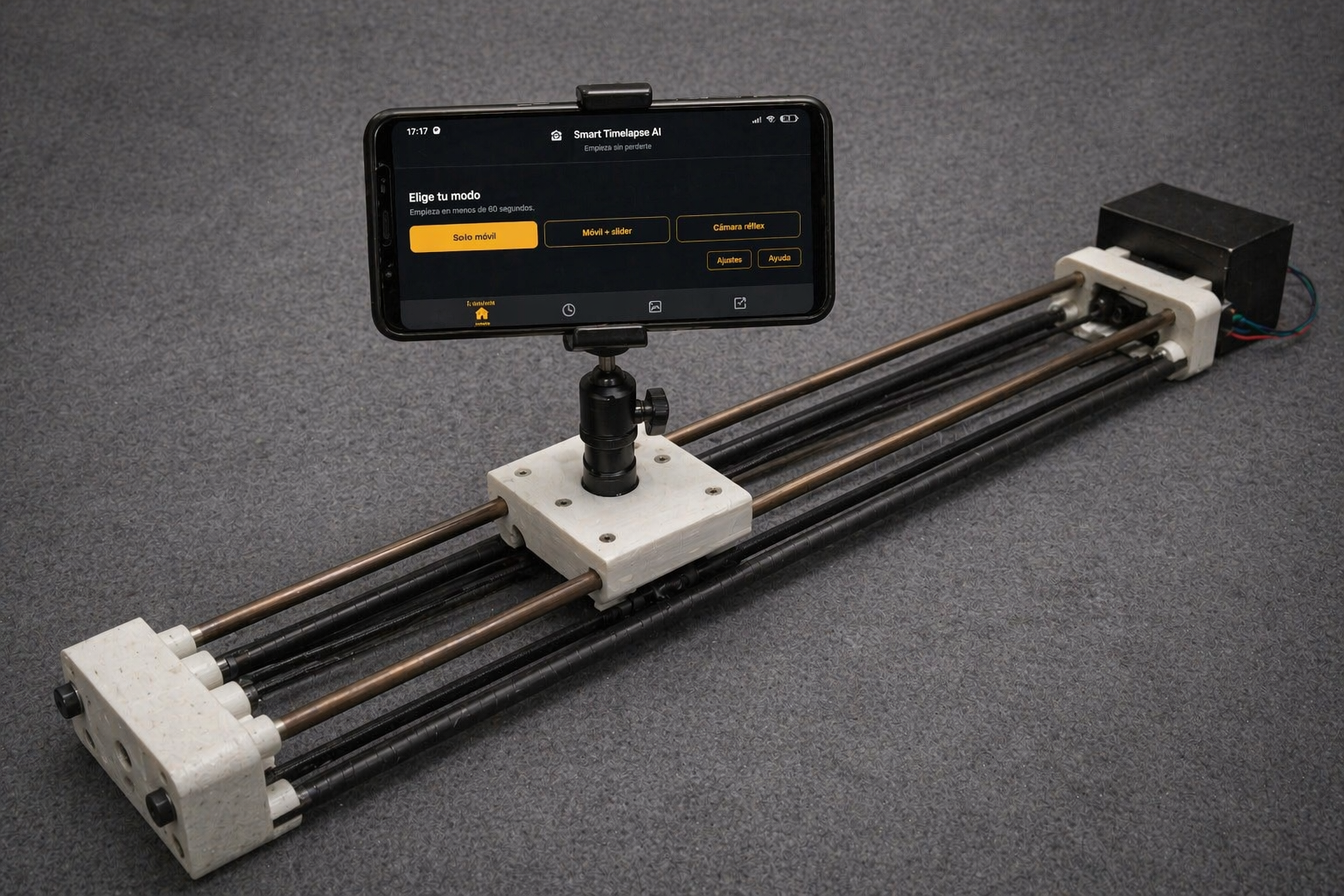
Mobile + GRBL slider + DSLR

One app to create timelapses from start to finish.

Start with just your phone, add motion whenever you want with a GRBL slider, and scale to a DSLR workflow without leaving the same experience.

Smart Timelapse AI Slider brings capture, control, and export together in a workflow built for creators, product photography, studio setups, and advanced projects.

One-time payment, local workflow, and a clear experience from day one.
Start on phone and scale to GRBL or DSLR
Local remote control protected by PIN
MP4/GIF export with publishing-ready profiles
3

work modes inside one product

11

built-in scenes to move faster

4K

depending on device, with automatic fallback when needed

100%

local workflow for capture, control, and project handling

Start where you are today. Scale when you need it.

Start quickly and keep the same workflow as projects move from simple to advanced.

Phone only

The fastest way to start

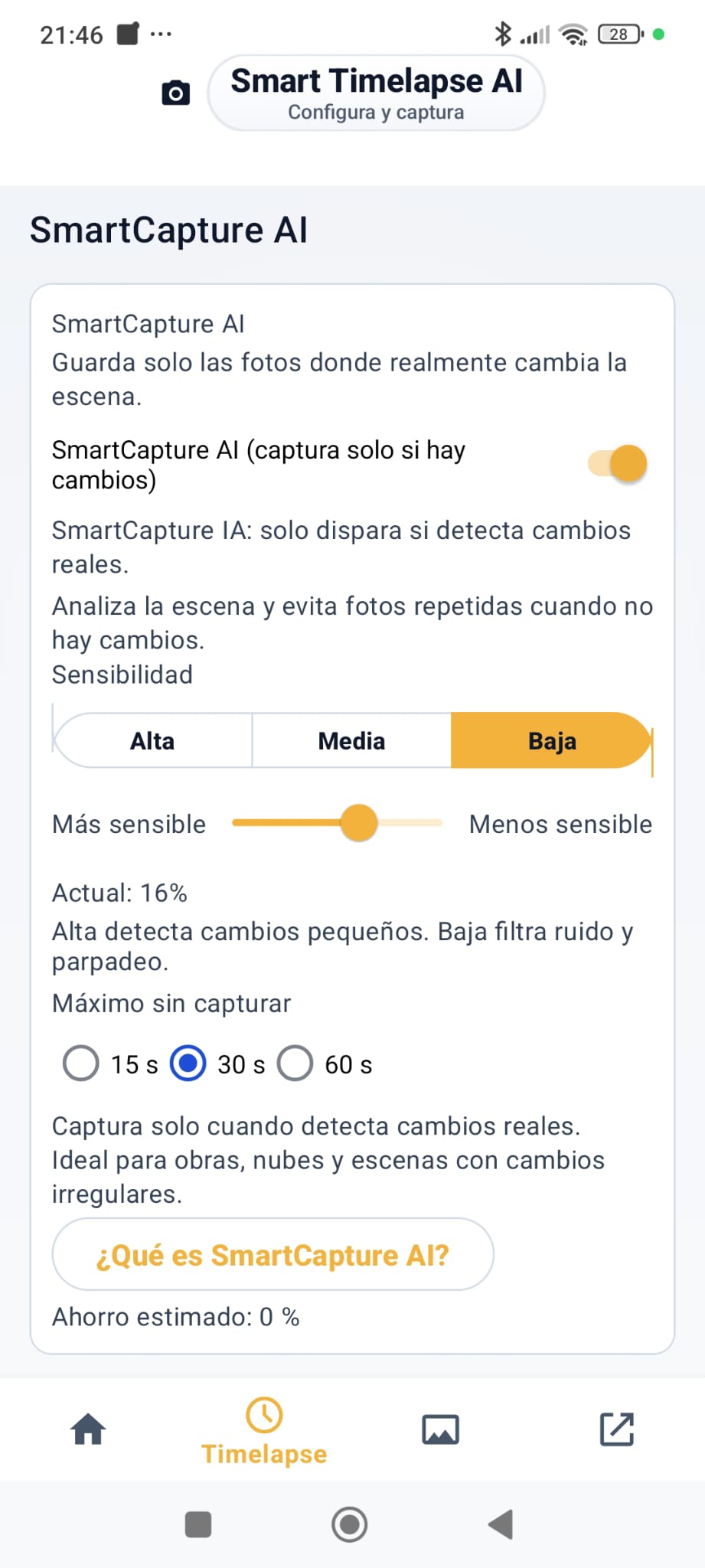
A fixed timelapse mode with SmartCapture AI that detects scene change with adjustable sensitivity and captures only when the scene is worth it.

  • Great for sunrises, skies, crowds, or product work.
  • Clear entry point for creators and first tests.
  • Editing and export stay in the same flow.

Bluetooth slider

Precision motion over GRBL

Connect compatible sliders and work with scenes, keyframes, and motion planning inside a more advanced workflow.

  • GRBL 1.1 recommended.
  • 11 built-in scenes, including a calibratable 360 Product mode.
  • STOP, PANIC, live diagnostics, and logs.

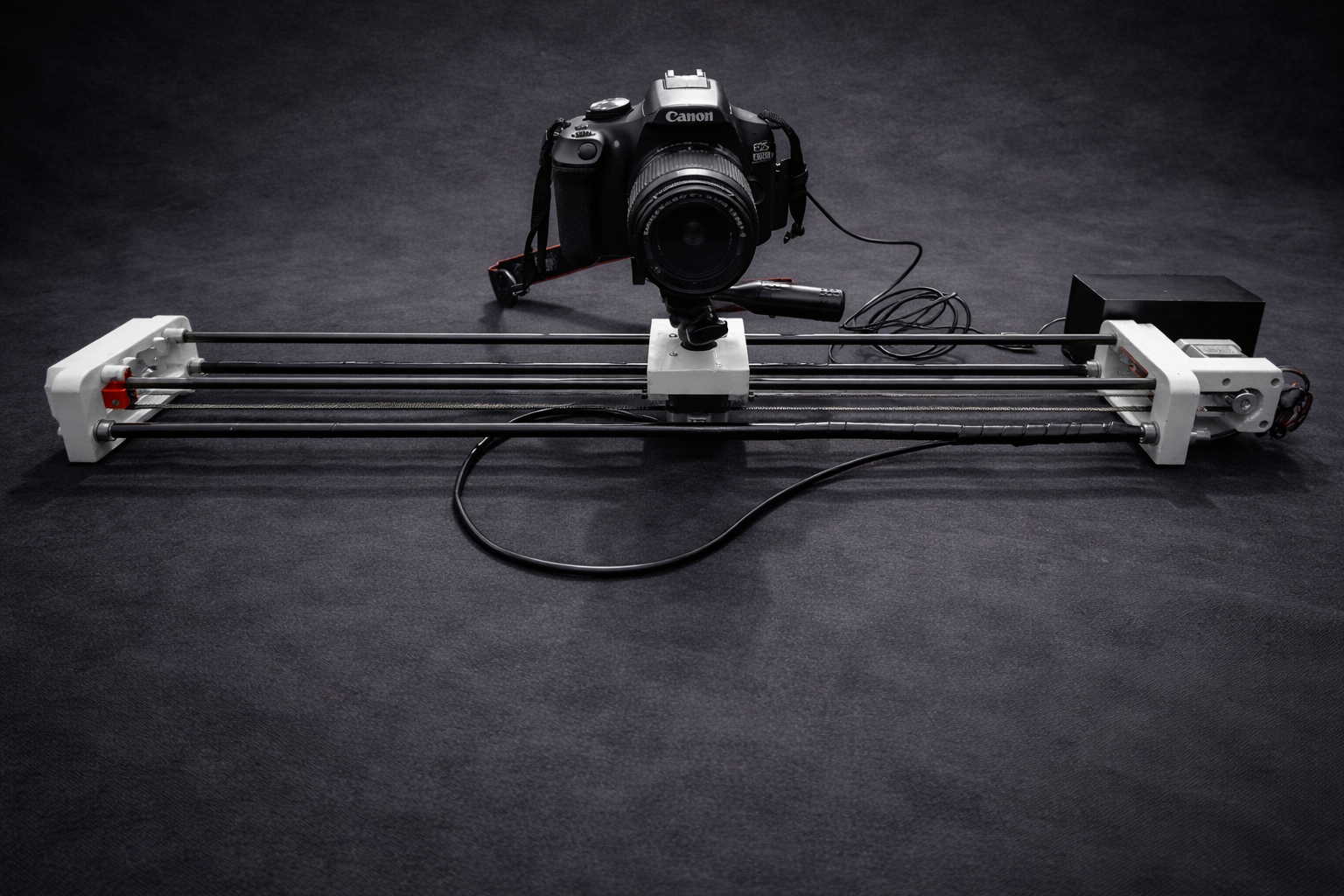
DSLR workflow

The camera captures. The app coordinates.

The phone manages the workflow and accompanies the project. The camera stores the photos on its card and the app continues the process with compatible material.

  • Automatic shutter trigger through M3/M5 relay.
  • Ideal for long intervals and delicate sequences.
  • RAW is not processed inside the app.

Capture, control, and final output inside the same experience.

Smart Timelapse AI Slider does not stop at triggering the shot. It also handles the part that turns a sequence into something usable.

SmartCapture AI

Detects useful scene change so the app triggers when a capture actually adds value.

QuickStart

Guided entry to start fast and keep the workflow organized from the first run.

Scenes and 360 Product

Built-in structures to speed up production, including a calibratable 360 Product mode.

XY / XYZ keyframes

Repeatable and precise motion control according to available hardware.

Local remote control

LAN web panel with PIN to run the setup from another device on the same local network.

Diagnostics and safety

Status, logs, STOP, PANIC, and support utilities for safer operation.

What makes Smart Timelapse AI Slider different

It is not just a trigger tool or just a slider controller. It combines capture, motion, remote control, and export in a far more coherent workflow.

One workflow instead of separate tools

From capture to final output, projects move forward under one operating logic.

Scales from phone to hardware

Start without hardware and add GRBL slider or DSLR workflow when you need more physical control.

Lets you close the project inside the app

Export, profiles, and final edits stay in the same ecosystem to reduce friction.

SmartCapture AI explained clearly.

It is not a generic motion detector. It is designed to decide better when a capture is actually worth taking.

It analyzes the scene in a light and consistent way

It works on an optimized luminance representation to keep decisions fast and stable without depending on huge resolutions.

It combines global, area-based, and local change

It does not rely on a simple image-to-image difference. It takes into account structural scene change and relevant motion in specific areas.

It accumulates signal and adjusts threshold

It can detect progressive change, compensate better for noise, and explain why it triggers instead of behaving like an opaque or arbitrary system.

A real web panel to control the slider from another device.

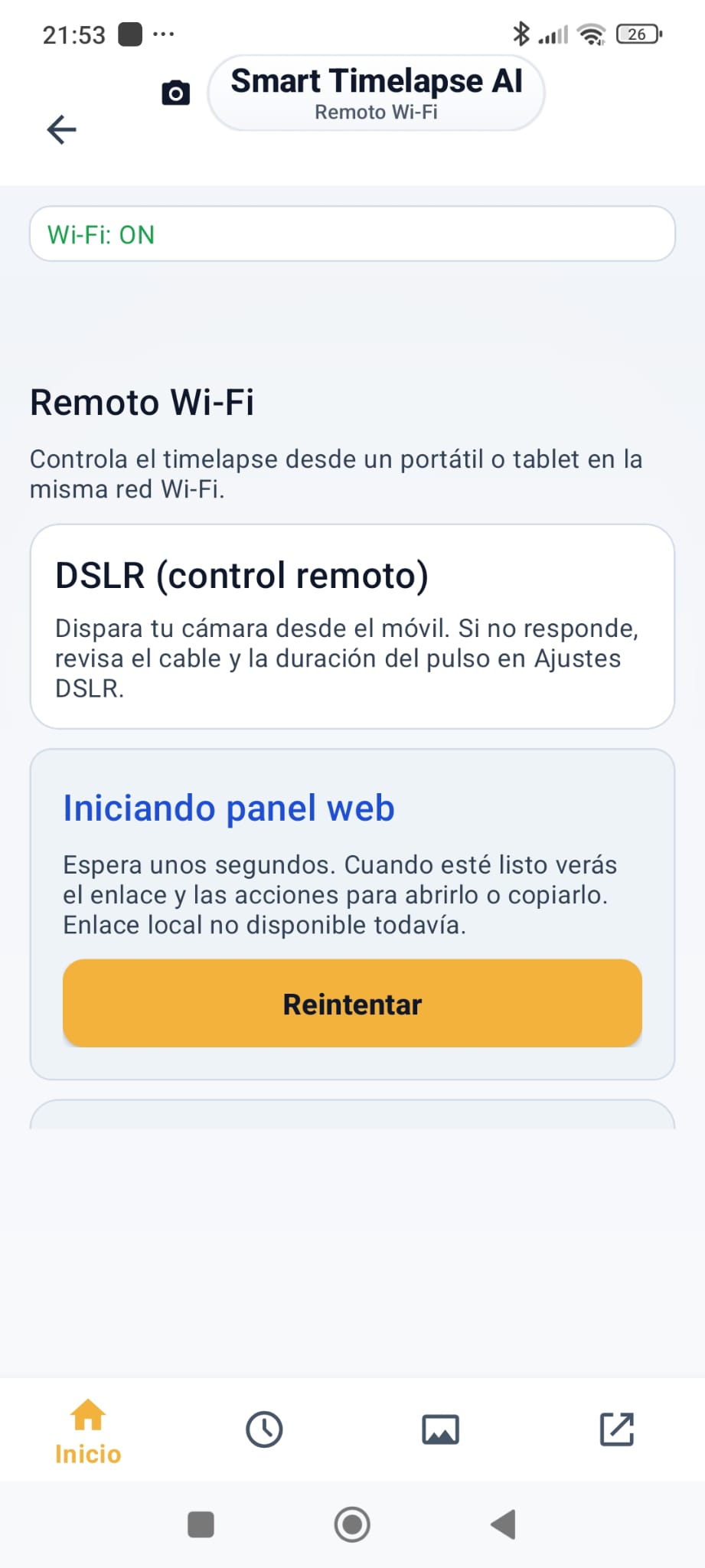
The app can launch a local network remote panel that you open from another phone, tablet, or PC on the same Wi-Fi or hotspot. This is not a vague “remote” claim: it is a real web interface designed to run the setup without touching the main phone.

How it works

LAN web panel with PIN

  • Phone and remote client on the same Wi-Fi or hotspot.
  • Mandatory PIN.
  • URL ready to copy and open from another device.

Slider control

What you can do

  • View live status.
  • Jog X/Y and Z when the hardware supports it.
  • Stop jog and fast moves.
  • Unlock GRBL with $X when it is in ALARM.

Work and support

Scenes, logs, and diagnostics

  • List available scenes.
  • Run and stop scenes.
  • View logs and diagnostics.
  • Copy useful support information.

Everything you can do when closing the project.

Export is one of the strongest parts of the product. The app lets you turn a sequence into a usable final output without leaving the same ecosystem.

Resolution and format

MP4 or GIF, from 720p to 4K

  • Export in 720p, 1080p, or 4K UHD depending on the device.
  • If 4K is not available or the device cannot handle it, the app warns you and falls back to 1080p.
  • GIF for short sequences and quick output.
  • MP4 for longer pieces or final publishing.

Profiles and composition

Original, 9:16, and 1:1

  • Original profile to keep the base framing.
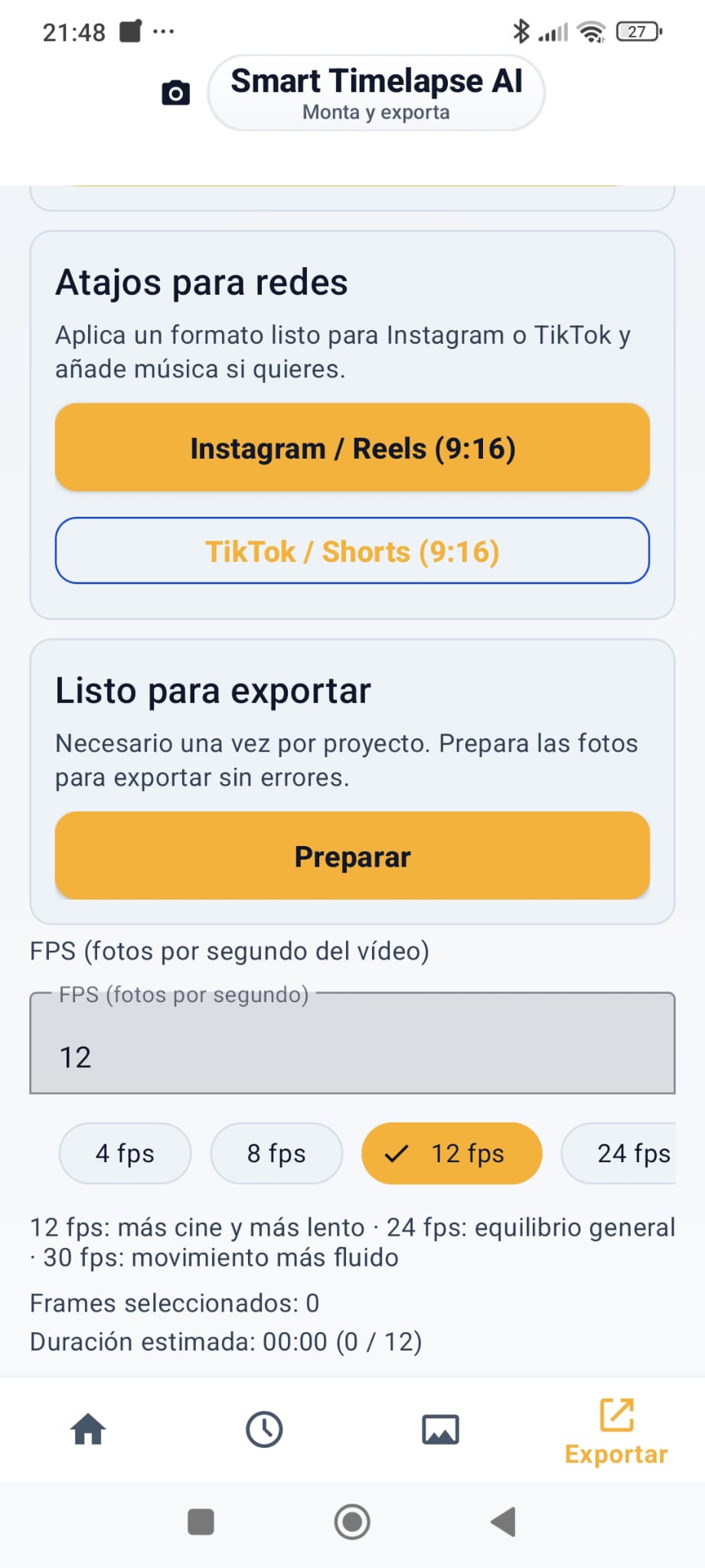
  • 9:16 for Reels, TikTok, and Shorts.
  • 1:1 for square and Instagram Feed.
  • Adjustable FPS to define final speed.

Built-in editing

Useful adjustments that matter

  • Text and timestamp.
  • Music or audio with customizable start point.
  • Trim and speed control.
  • Reverse, rotate, and flip.
  • Loop and fade in/out.

From material to final video

The app concentrates project flow, editing, and final output so closing each sequence requires fewer steps.

Ready for publishing or review

The output is prepared for review, delivery, or publishing depending on the project context.

Clear answers before you start.

Do I need a slider to use Smart Timelapse AI Slider?

No. You can start with phone-only timelapse and add slider motion later.

Does the app work with GRBL hardware?

Yes. It supports Bluetooth GRBL sliders with scenes, keyframes, and jog control depending on hardware.

Does remote control work over the Internet?

No. The remote panel works on a local network (Wi-Fi or hotspot) with a mandatory PIN.

What exactly can I do when exporting?

You can export MP4 or GIF in 720p, 1080p, or 4K depending on device; use Original/9:16/1:1 profiles; and apply text, timestamp, music, trim, speed, reverse, rotate, flip, loop, and fade in/out.

Start with what you already have. Scale when you need it.

Smart Timelapse AI Slider brings together phone timelapse, GRBL slider workflow, DSLR workflow, local remote control, advanced export, and open-source hardware under one identity. A clearer experience from the very first visit and a stronger base to keep growing.